iPhone camera
Shoot through
a feel.
Film-inspired looks, named after emotions. See the look live in the viewfinder, and the photo comes out exactly the way you saw it.
$5.99 one-time. No subscription.
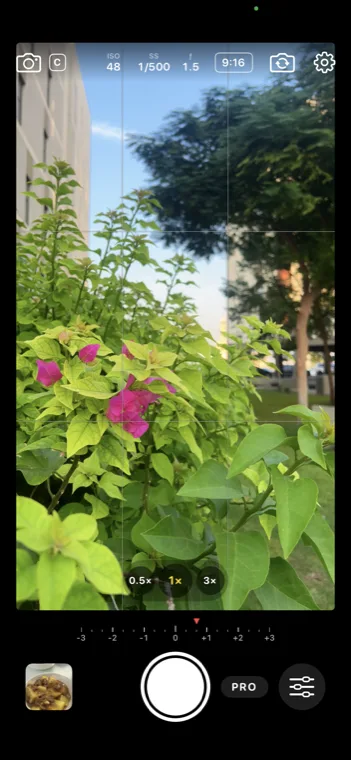
What you see is what you save
Capture it the way you see it.
Most filter apps add the look afterwards. FeelCam puts it in the viewfinder, so you frame, wait for the light and press the shutter already knowing how the photo will look. No editing later.
- The live preview and the saved photo use the same image pipeline.
- A light meter above the shutter shows the exposure from −3 to +3 and turns red when highlights blow out.
- Grids, aspect ratios including 4:5 for Instagram, HEIF or JPEG, and the volume buttons as a shutter.
16 feels
Pick a feel, not a filter.
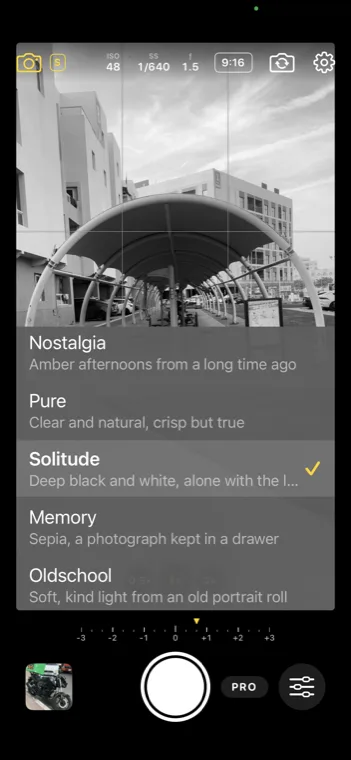
Every look is named after the emotion it carries, not a film stock. Choose how the moment felt, and FeelCam does the rest.
Natural
Balanced and honest, for every day
Joy
Bold color and punch, sunshine and landscapes
Colorful
Rich, cheerful color with warm, flattering skin
Summer Sunshine
Teal shadows and orange light, summer on a big screen
Golden Hour
Low sun and warm light, the last hour of the day
Tender
Soft light and gentle skin, for people you love
Wander
Muted, documentary, the stories of a journey
Grit
Hard-edged street negative, raw and restless
Glow
Warm portraits with a little lift
Dream
Quiet cinema, low contrast and drifting color
Tension
Bleached and hard, drama on the edge
Nostalgia
Amber afternoons from a long time ago
Pure
Clear and natural, crisp but true
Solitude
Deep black and white, alone with the light
Memory
Sepia, a photograph kept in a drawer
Oldschool
Soft, kind light from an old portrait roll
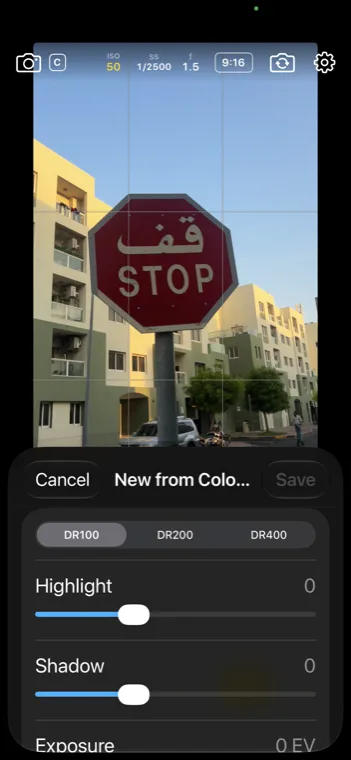
Make your own
Craft your own feel.
Start from any feel and shape it with the controls photographers use for film recipes. Changes show live in the viewfinder as you slide.
- Dynamic range DR100 to DR400
- Highlight
- Shadow
- Color
- Color chrome
- Color chrome blue
- White balance and shift
- Grain and size
- Clarity
- Sharpness
- Noise reduction
- Vignette
- Exposure
- Mono toning

Share a feel
Every photo carries its feel.
The recipe travels inside the photo. Send it with Send Feel, and a friend adds the exact same look from the photo in one tap. No codes, no screenshots of settings.
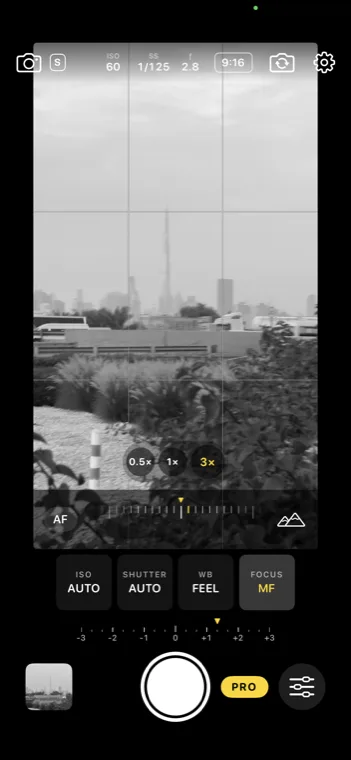
PRO controls
Full control when you want it.
Tap PRO beside the shutter for manual ISO, shutter speed, white balance and focus, plus aperture on iPhones with a variable aperture. Set one and the rest stay on auto. Leave PRO off and FeelCam stays simple.
- Zoom buttons for every lens, like the Camera app, including full-quality sensor crops.
- Save the RAW or ProRAW file alongside each photo.
- Keep Last Settings opens FeelCam the way you left it.
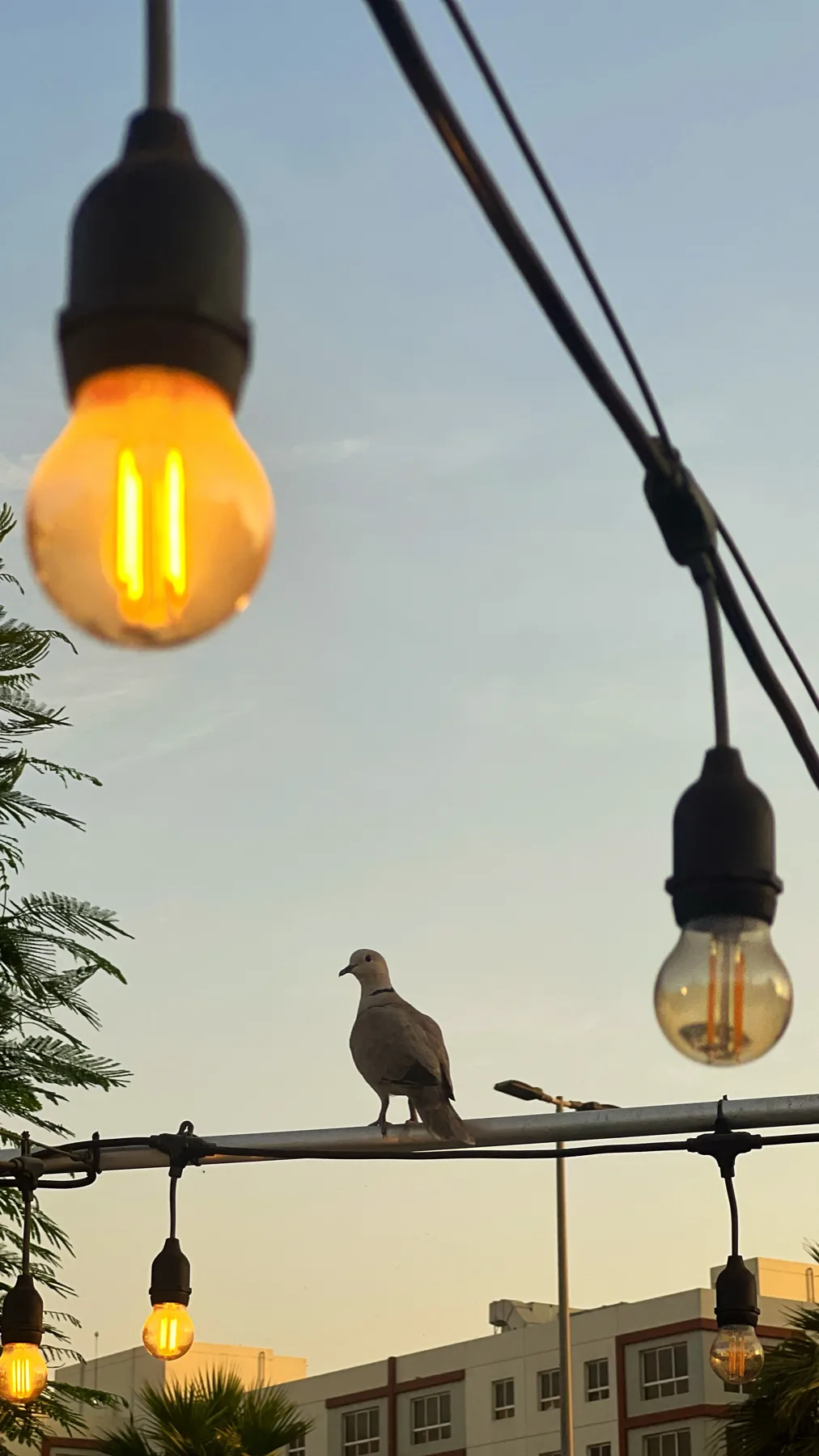
Natural processing
Straight out of camera.
Prefer a photo that looks like a photo? Natural processing skips the iPhone's multi-frame computational look. FeelCam develops a single RAW frame itself, gently, like a film scan, and then applies your feel. Softer contrast, real highlights, honest grain.
Natural needs an iPhone that can capture RAW. Switch lenses instead of zooming in this mode.
Questions
Good to know.
Is FeelCam a subscription?
No. FeelCam is a one-time purchase of $5.99 (or the equivalent in your country). Every feel and every feature is included, with no subscription and no in-app purchases.
Which iPhones does FeelCam work on?
Any iPhone running iOS 18 or later, which means iPhone XS, iPhone XR and newer. Natural processing and RAW need an iPhone whose camera can capture RAW.
Is the look applied while I shoot, or afterwards?
While you shoot. The viewfinder shows the feel live, and the saved photo looks the same, so you frame and expose for the final image.
Can I make my own looks?
Yes. Start from any feel and tune dynamic range, highlights, shadows, color, color chrome, white balance shift, grain, clarity, sharpness, noise reduction, vignette and more. Save it as your own feel.
Can I share a feel with a friend?
Yes. Every photo carries the feel it was shot with. Send a photo with Send Feel, and your friend adds the feel from the photo in one tap.
Does FeelCam shoot RAW?
Yes. FeelCam can save the camera's ProRAW or RAW file alongside each photo, and its Natural processing develops a single RAW frame itself instead of using the iPhone's computational processing.
Does FeelCam collect my data?
Your photos never leave your iPhone. FeelCam sends only anonymous usage counts, such as which feels are used, and you can turn even that off in Settings. Read the privacy policy.

Shoot through a feel.
FeelCam for iPhone. $5.99 one-time, every feel included.
Download on theApp Store